

Choosing an Educational Humanoid Platform: G1 EDU vs Booster K1


A department chair asked us a good question this month: if the budget is fixed, does a lab buy one capable humanoid or three modest ones? It is the right question, and the spec sheets will not answer it.
Here is the thesis this guide argues: the right educational humanoid is not the one with the highest spec ceiling, it is the one whose runtime, compute, and support horizon match how it will actually be used. That sounds obvious. It is routinely ignored, because peak compute is easy to compare and runtime is not.
Below is a comparison of the four configurations most often shortlisted for teaching and research work, using public listed prices verified on 27 July 2026.
The four configurations, by the numbers
| Axis | Booster K1 GEEK | Booster K1 Educational | Booster K1 Professional | Unitree G1 EDU Standard |
|---|---|---|---|---|
| Listed price (USD) | $11,714.82 | $15,486.50 | $19,888.50 | $43,900.00 |
| Degrees of freedom | 22 | 22 | 22 | 23 |
| Onboard compute | Qualcomm QCS8550, 48 TOPS | Jetson Orin NX 8GB, 117 TOPS | Jetson AGX Orin 32GB, 200 TOPS | 100 TOPS |
| Runtime at 0.4 m/s | about 30 min (2Ah) | 80 min (5Ah) | 80 min (5Ah) | 9000 mAh quick release |
| Notable inclusion | Remote control | 12 month warranty | Highest compute tier | Dual encoders per joint |
Axis 1: budget, and what the spread actually buys
The distance between the cheapest and most expensive option here is more than $32,000, which for many departments is the difference between one robot and a small fleet. But the Booster range internally spans only about $8,000 from the K1 GEEK to the K1 Professional, and all three share the same 22 degree of freedom chassis. That is unusual and useful: you can standardise a curriculum on one mechanical platform and vary only the compute tier.
The Unitree G1 EDU Standard is a different proposition. At $43,900 it is not competing with the K1 on price, and pretending otherwise wastes everyone's time.
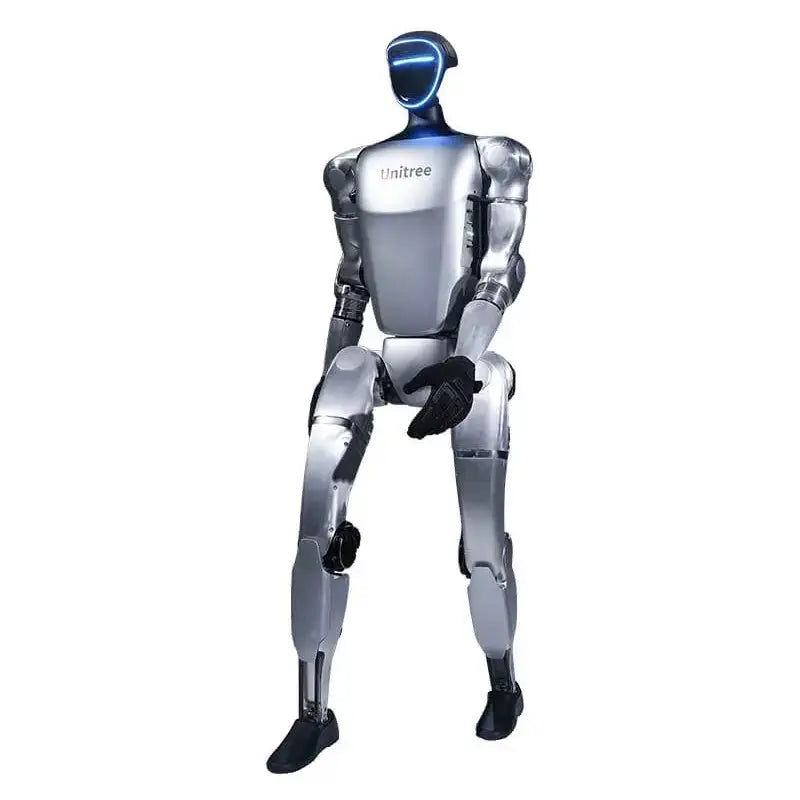
Image: Unitree
Axis 2: mechanics
The G1 EDU Standard carries 23 degrees of freedom, distributed as 6 per leg, 1 at the waist, and 5 per arm. Peak knee joint torque is 120 N.m, and every joint is monitored by dual encoders for movement tracking. The K1 configurations carry 22 degrees of freedom across the range.
Two caveats on the G1 that change project plans, and which we would rather state up front than bury: hands are not included in the Standard configuration, and maximum arm load is 3 kg. If your research programme is manipulation first, both facts belong in the budget conversation before the purchase order, not after.
Axis 3: onboard compute
This is the axis buyers over-weight. The K1 Professional leads the group at 200 TOPS on a Jetson AGX Orin 32GB. The K1 Educational sits at 117 TOPS on a Jetson Orin NX 8GB. The G1 EDU Standard offers 100 TOPS. The K1 GEEK, at 48 TOPS on a Qualcomm QCS8550, is the entry point.
For classroom work, all four are sufficient. Teaching kinematics, gait, and basic policy deployment does not saturate 48 TOPS. Compute becomes the deciding axis only when you are training or running larger models on the robot itself rather than tethered to a workstation, which describes a minority of undergraduate programmes and a majority of doctoral ones.
Axis 4: runtime, the axis that decides teaching labs
A three hour lab session with a 30 minute robot means either battery swaps or downtime. The K1 Educational and Professional both deliver 80 minutes at 0.4 m/s on a 5Ah battery. The GEEK delivers about 30 minutes on its 2Ah pack. The G1 uses a 9000 mAh quick release battery, and the quick release design matters as much as the capacity, because swapping is what keeps a session moving.
This is where the thesis bites. A robot that runs 80 minutes between swaps survives a teaching lab. A robot with more TOPS and 30 minutes of runtime does not, however good the policy you are training on it.
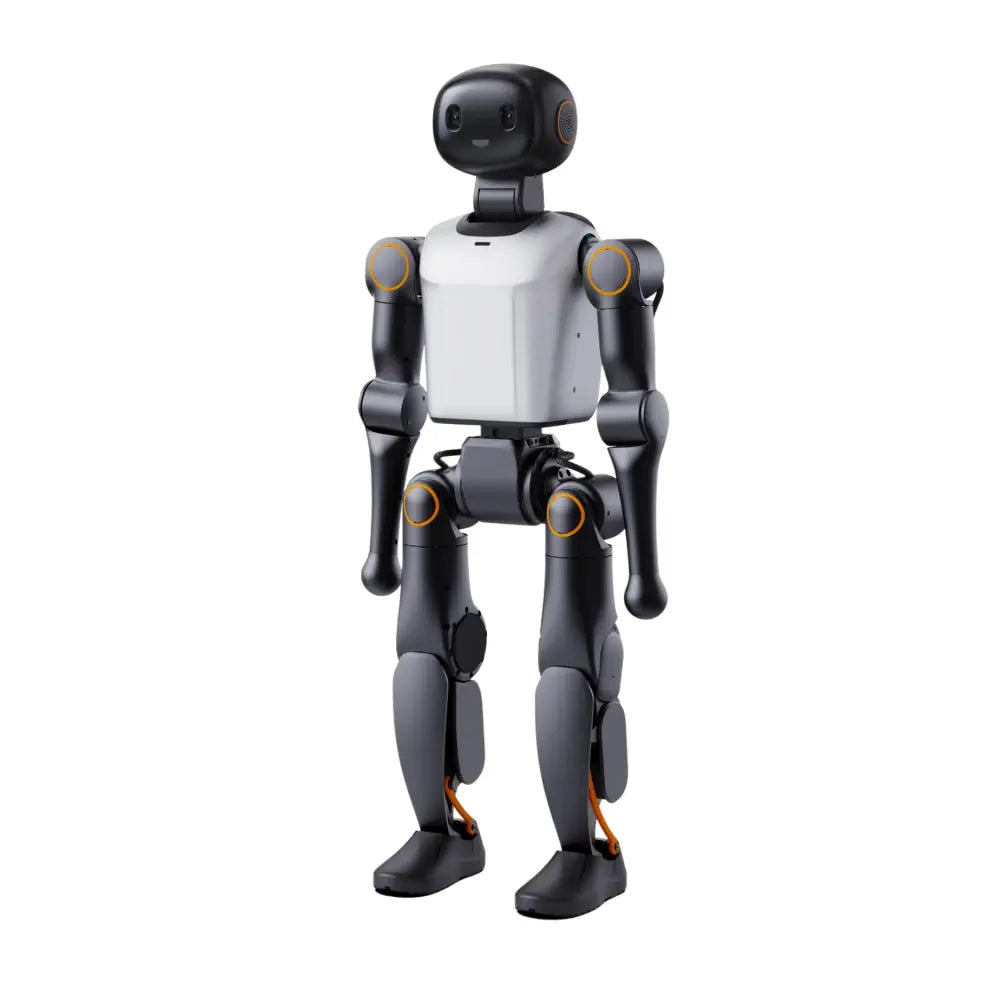
Image: Booster Robotics
Axis 5: software and ecosystem
All three K1 configurations ship with a six month Doubao LLM licence and support secondary development. Unitree has published an embodied AI curriculum aimed at universities and research institutes, built around its own platforms. For a department planning a multi year syllabus, documented teaching material is not a nice extra, it is the difference between a robot in a lab and a robot in a course.
We are deliberately not scoring SDK quality here. Both vendors document their stacks, and any honest assessment requires hands on time with your own use case rather than a feature grid.
Axis 6: support horizon
The K1 Educational lists a 12 month warranty. Beyond published warranty terms, the questions worth asking any vendor are the same ones that decide whether a platform survives in a department: who supports the unit in year three, what happens to spare parts if the roadmap shifts, and is the support contract with the manufacturer or with a reseller. Those answers are rarely on a spec sheet, and they should be in writing before purchase.
Synthesis: match the platform to the session, not the ceiling
If the work is undergraduate teaching with multiple sessions per week, the K1 Educational is the most defensible choice in this group: 80 minutes of runtime, 117 TOPS, a 12 month warranty, and a price that leaves budget for a second unit.
If the work is prototyping, outreach, or a single instructor exploring the category, the K1 GEEK does the job for under $12,000, provided you plan around 30 minute sessions.
If the work is doctoral research with heavy onboard inference, the K1 Professional at 200 TOPS or the G1 EDU Standard at 23 degrees of freedom are the serious candidates, and the choice between them turns on whether you need the extra degree of freedom and the dual encoder joint monitoring more than you need the $24,000 you would save.
The spec ceiling is the easiest thing to compare and the least likely to decide whether the robot gets used. Match the platform to the session.
Related reading
- Choosing an AgiBot humanoid robot: a buyer's guide to the A2, X2 and G2 lineups
- AgiBot's WAIC 2026 lineup makes one argument: judge robots on delivery, not the demo
Prices and specifications verified 27 July 2026 and subject to change. Confirm current availability and regional pricing on each product page before purchase.
Thanks for helping to keep our community civil!
This post is an advertisement, or vandalism. It is not useful or relevant to the current topic.
You flagged this as spam. Undo flag.Flag Post
Your post is currently under review by our moderation team. The review process usually takes up to 48 business hours.
You can track your post's status in the "My Content" section of your profile. Once approved, it will be published and visible to others.

Thank you for contributing to our community!